 CopyVideoText
Copy text from any video in one click
Slides, code, subtitles, links and phone numbers: press “Copy text” and every word on screen is found, selected and copied. No screenshots, no retyping.

Three seconds from video to text
No drawing boxes, no screenshots, no typing what you see.
Press “Copy text”
Move your mouse over any video and press the small button in the corner, or use Alt+Shift+C.
Everything is copied
The video pauses, every line of text lights up, and all of it is copied to your clipboard.
Pick what you need
Click one line to copy only that line, or drag a box around any area. Paste it anywhere.
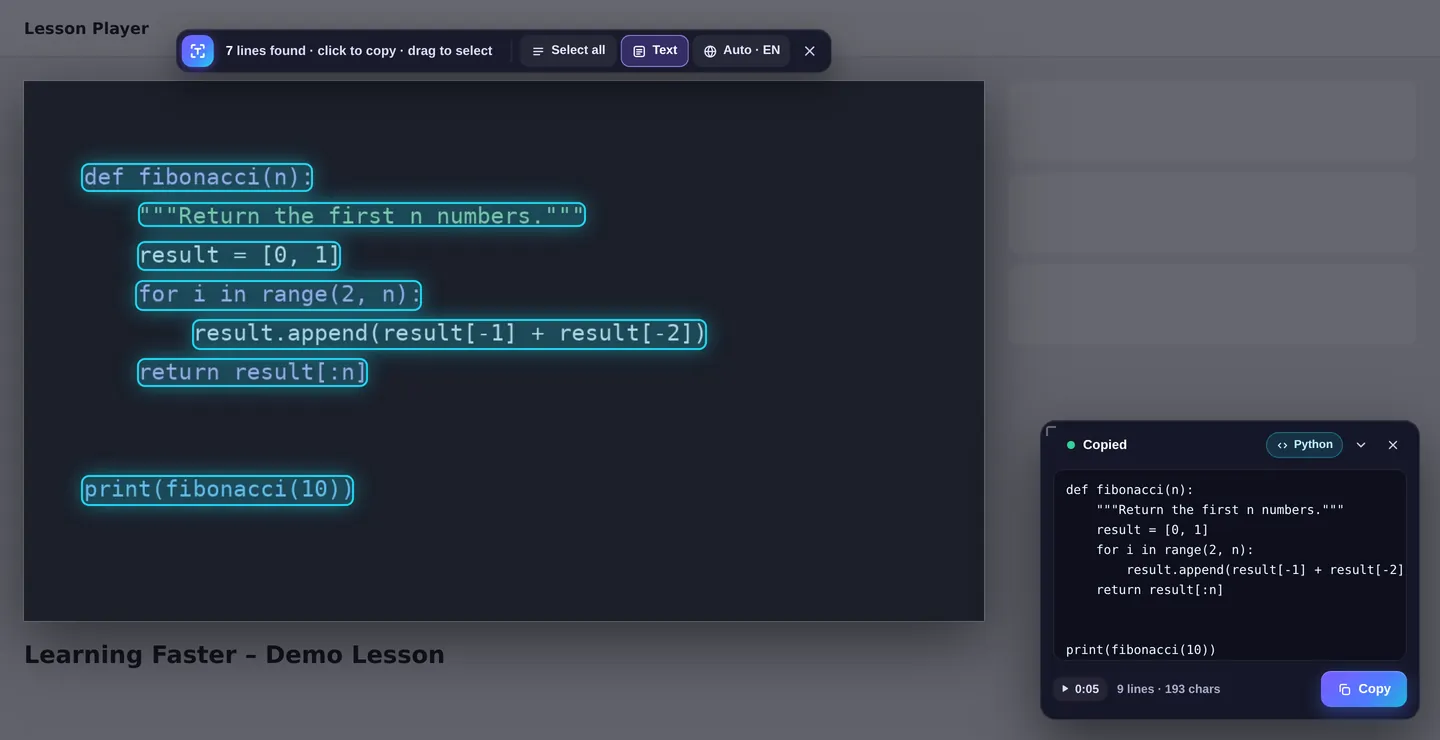
Copy code from tutorials with perfect indentation
Following a coding video? CopyVideoText spots code automatically and copies it exactly as it looks on screen, ready to paste into your editor.
- Keeps indentation and spacing
- Detects Python, JavaScript, SQL, HTML and more
- Fixes common mix-ups like O/0 and curly quotes
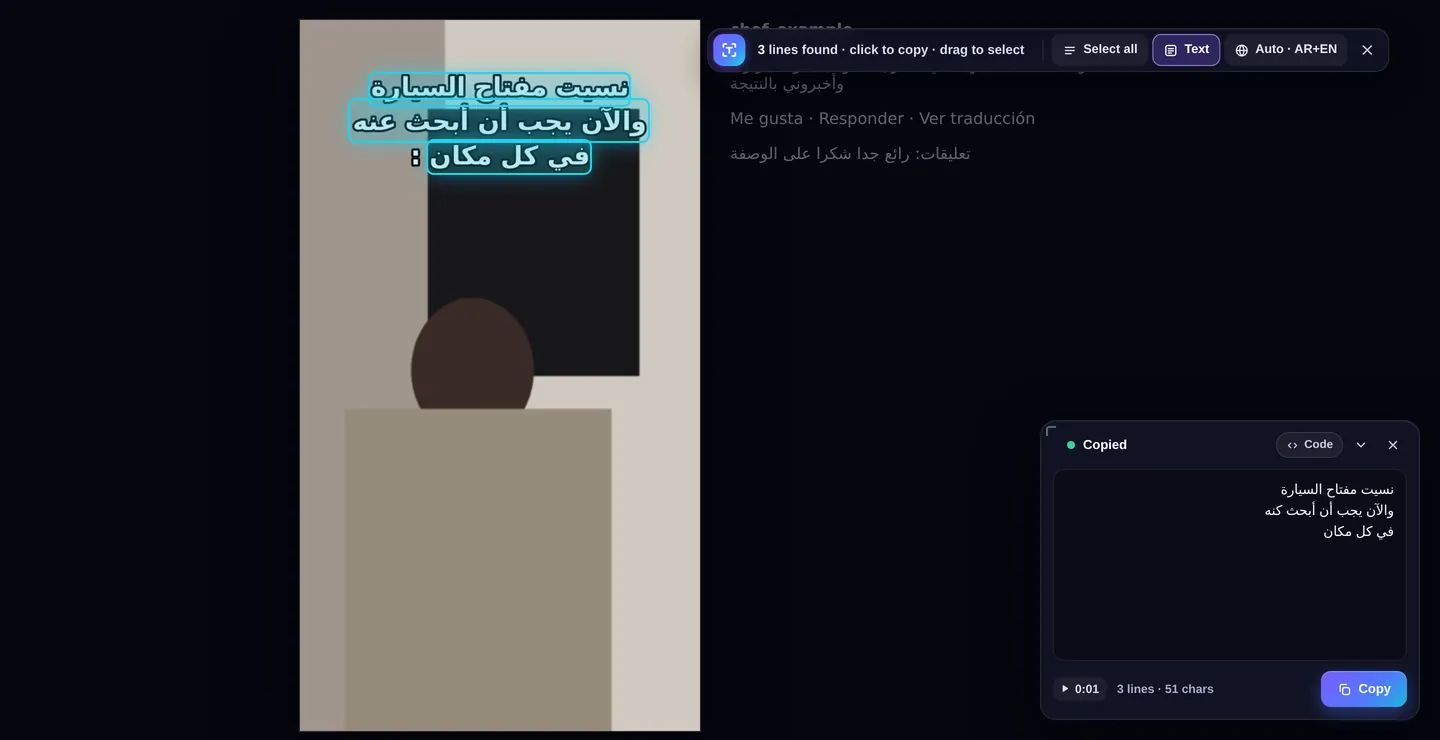
Reads captions in Arabic, Chinese, Russian and more
The language is detected automatically from the page. Even outlined subtitles on busy backgrounds, like the ones on reels and shorts, are read correctly.
- English and Arabic built in, works offline
- Right-to-left text in the right order
- Pick a language once and it's remembered per site
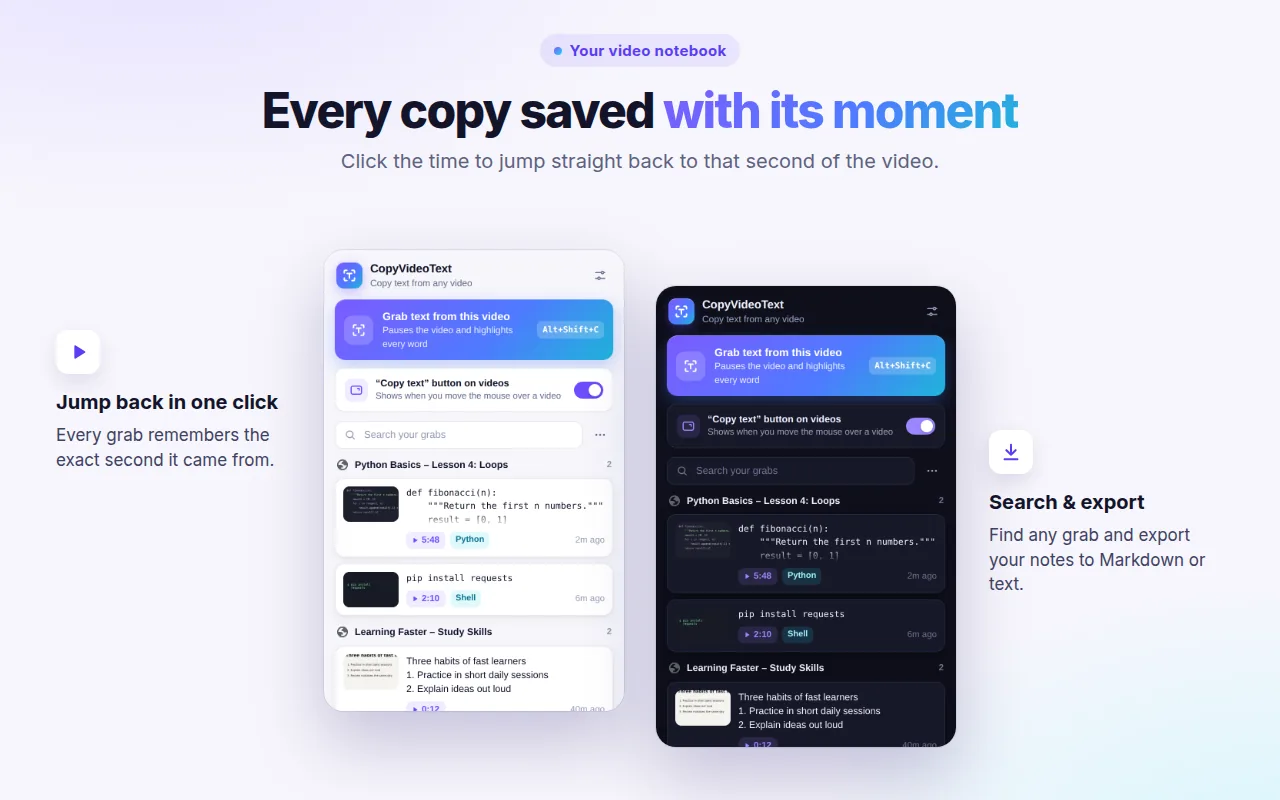
Every copy saved with its exact moment
Your copies are grouped by video in the extension. Click the time next to any of them to jump straight back to that second.
- Search everything you've copied
- Export notes to Markdown or plain text
- Stays in your browser only
Anyone who learns from videos
Developers
Grab code from YouTube tutorials and coding courses without typos.
Copy code from YouTube →Students
Turn lecture slides and course videos into notes in seconds.
Online course videos →Language learners
Copy subtitles and captions to translate, study or save them.
Copy subtitles →Researchers
Pull quotes, figures and references straight out of video footage.
Extract text from video →Everyday viewers
Save phone numbers, emails, links, addresses and recipes shown on screen.
Creators
Reuse text from your own videos for descriptions, posts and blogs.
Reads text in 18+ languages
Detected automatically. The two highlighted languages are built in; the others download once, the first time they're needed.
Private by design
Text is read on your own computer. Nothing is uploaded, and there is no tracking or account.
Fast
The first results appear in about 3 seconds, and smaller captions are added moments later.
Works where you watch
YouTube, online course platforms, Vimeo, social media reels and videos embedded in any page.
Questions and answers
How do I copy text from a video?
Install CopyVideoText, move your mouse over the video and press the small "Copy text" button (or Alt+Shift+C). The video pauses, every word on screen is found, selected and copied to your clipboard. Click one line to copy only that line.
Does it work on YouTube?
Yes. It works on YouTube and on most video sites, including online course platforms, Vimeo, social media reels and videos embedded in web pages.
Can I copy code from a programming tutorial?
Yes. Code Mode turns on automatically when the text looks like code. It keeps the indentation, recognizes the language (Python, JavaScript, SQL and more) and fixes common mix-ups like O and 0.
Does it read Arabic and other languages?
Yes. The language is detected automatically from the page. English and Arabic are built in; Chinese, Russian, Japanese, Korean, Hindi and more download once, the first time they are needed.
Is it private?
Yes. The text is read on your own computer. Your videos, screenshots and copied text are never uploaded, and there is no tracking. Your history stays in your browser.
Is it free?
Yes, CopyVideoText is free to install and use.
Why doesn't it work on Netflix or Prime Video?
Protected streaming services block screen capture for every browser extension, so their video frames appear black and can't be read. Everything else, like tutorials, lectures, webinars and social videos, works.
Is this a transcript tool?
No. CopyVideoText copies the text shown on screen, like slides, code, captions and labels. It does not turn spoken words into text.
Stop retyping what you see
Add CopyVideoText to Chrome and copy your first line of text in seconds.
Add to Chrome, it's free